How to Import Your Bookmarks
Discover the fastest, most delightful ways to import your bookmarks to SaveIt.
In SaveIt.now, the only things you need to import your bookmarks is the link.
For this, you can import a .html, a .csv or any other file that contains your bookmarks.
Importing from Chrome
In Chrome, you can export your bookmarks to a .html file.
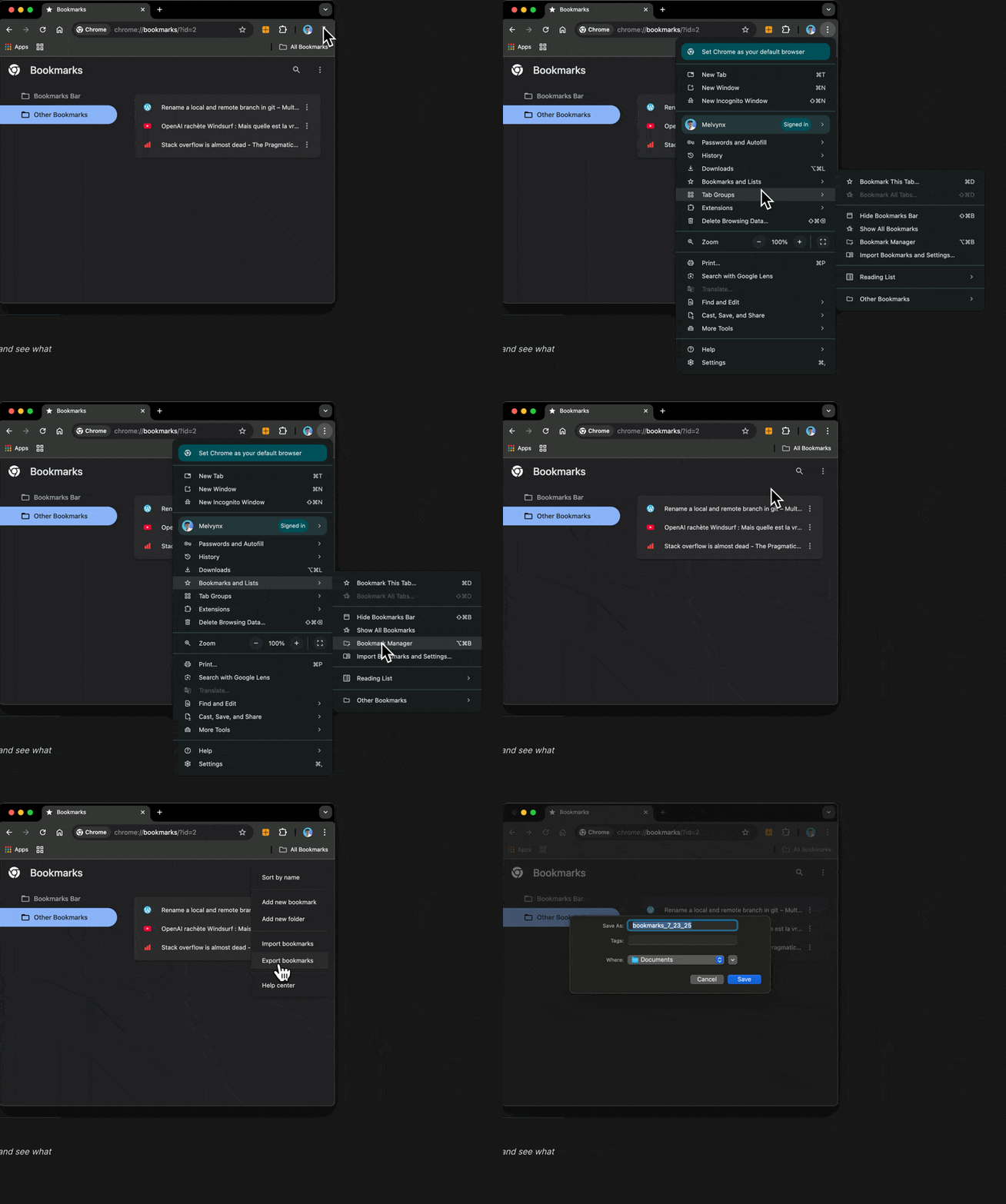
Go to bookmark page and then click on the three dots in the top right corner and select "Export bookmarks".
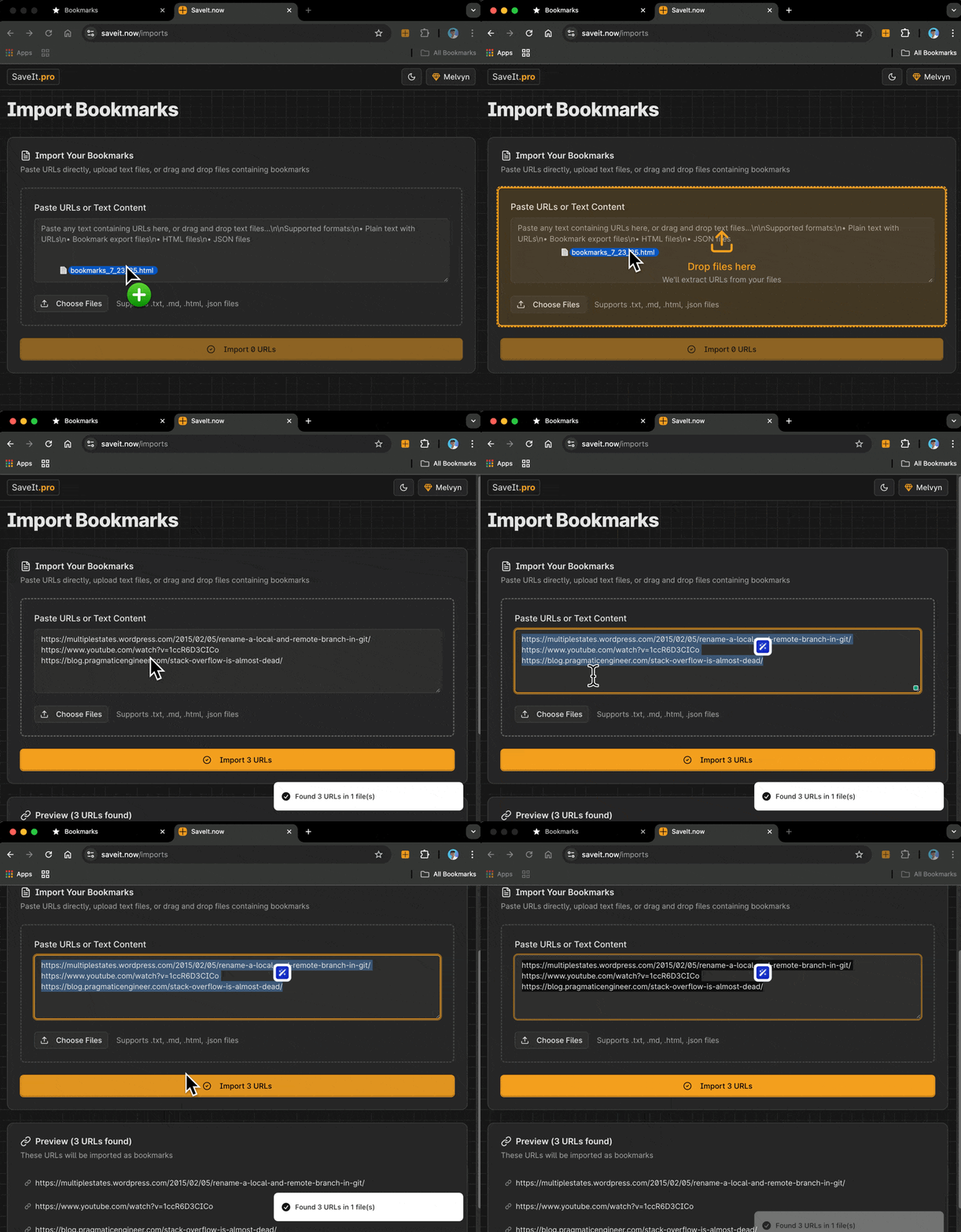
Finally, you can go to SaveIt.now and drag-n-drop this file inside the import section.